
Key Takeaways
- Pixel art is a deliberate digital art form where each pixel is placed intentionally, often evoking nostalgia for 8-bit and 16-bit graphics.
- Beyond retro games, pixel art is a powerful tool in modern web and UI design for creating unique identity, enhancing usability, and building community.
- Mastering pixel art involves constraint: choosing a low resolution, limiting your color palette, and using tools like the pencil over the brush.
- Software ranges from dedicated tools like Aseprite to adaptable mainstream programs like Adobe Photoshop and free online platforms like Pixilart.
- A successful pixel art design balances its retro aesthetic with clear, functional communication for the contemporary user.
Introduction
In an era dominated by ultra-high-definition visuals and seamless vector graphics, a charmingly blocky and deliberate art style is experiencing a major resurgence. Pixel art, once born from the severe technical limitations of early arcade machines and home consoles, has evolved into a beloved aesthetic choice for modern designers, developers, and artists. This isn't just nostalgia; it's a recognition of the unique power that pixel-based design holds. From the indie game sensation Stardew Valley to cutting-edge fintech websites and personal portfolios, pixel art in design offers a distinct blend of retro charm, clarity, and creative constraint.
Related Reading: Curious about the tools behind AI art? Check out our guide on What is PearlFrame to learn more about our AI generation capabilities.
This guide will navigate you through its history, undeniable benefits in today's digital landscape, and provide a practical roadmap to start creating your own pixel-perfect designs.
What is Pixel Art?
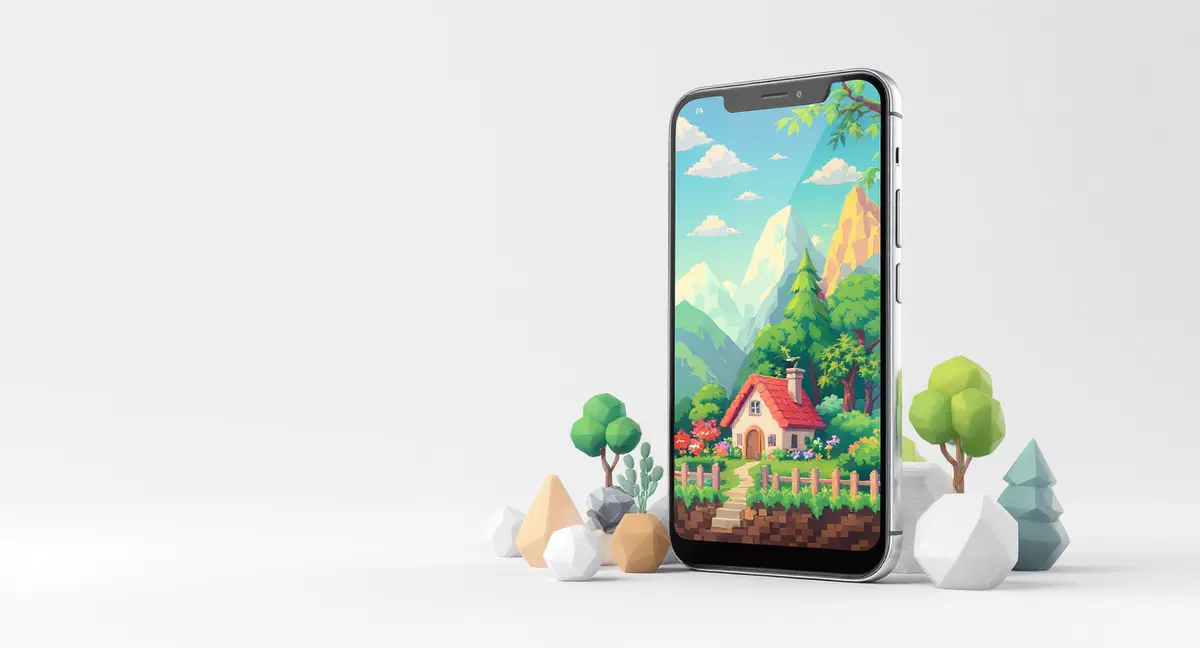
At its core, pixel art is a form of digital art where images are created and edited at the pixel level. Unlike a standard digital photo or painting where tools like brushes and blurs are used freely, pixel art is defined by the deliberate placement of each individual square of color, or pixel. As noted in its definition, an artwork is considered pixel art when "deliberate thought was put into each individual pixel of the image."
The style is intrinsically linked to the low-resolution graphics of the past, from the golden age of arcade games like Space Invaders (1978) to 8-bit and 16-bit consoles like the Nintendo Entertainment System. These systems had limited processing power, color palettes, and screen resolution, forcing artists to convey complex ideas with minimal resources. This constraint birthed a unique visual language. Today, even with limitless technological power, artists and designers choose these constraints to achieve a specific aesthetic, reduce visual noise, or evoke a powerful sense of nostalgia and authenticity. It’s a digital medium with a surprising kinship to traditional art forms like mosaics and cross-stitch, where small, discrete units build a cohesive whole.
Key Features & Benefits of Pixel Art in Modern Design
Why would a contemporary designer choose a seemingly "low-fi" style? The answer lies in the unique strengths that pixel art brings to the table.
1. Unmatched Nostalgia & Emotional Connection
Pixel art instantly evokes a sense of time, place, and feeling. For a generation that grew up with 8-bit and 16-bit games, it triggers powerful nostalgia. In design, this can be leveraged to create warmth, approachability, and a sense of fun. A brand using pixel art subtly tells its audience, "We don't take ourselves too seriously," or "We value creativity and play."
2. Distinct Brand Identity & Memorability
In a sea of smooth gradients and minimalist interfaces, pixel art stands out. It creates a visually distinctive identity that is hard to forget. Websites like TBD and Lamalama use bold pixel graphics to carve out a unique space in the crowded finance and agency landscapes, respectively. This distinctiveness fosters strong brand recognition.

3. Clarity and Iconography at Small Sizes
Pixel art, by its nature, is designed to be readable at small scales. This makes it exceptionally well-suited for favicons, app icons, progress indicators, and UI sprites. A well-designed 16x16 pixel icon can convey an idea as clearly as a more detailed vector graphic, often with more character. This principle of clarity under constraint is a direct inheritance from its video game origins, where tiny sprites needed to be instantly recognizable.
4. Community and Accessibility
The pixel art community is vast, active, and incredibly supportive. Platforms like Pixilart foster communities where millions of users share, learn, and collaborate. For designers, this means a wealth of shared palettes, tutorials, and inspiration. Furthermore, the tools can be very accessible; you can start with free, online editors, lowering the barrier to entry for experimentation.
5. Effective Storytelling and Animation
Pixel art animation has a unique, often hand-crafted charm. The step-by-step process of animating frame-by-frame teaches precision and the principles of motion. In web design, as seen on sites like Y-N10 or WorkOS Launch Week, subtle pixel animations can guide the user, celebrate interactions, or tell a brand's story in an engaging, playful way that feels more personal than a slick CGI video.
How to Create Pixel Art: A Designer's First Steps
Ready to push some pixels? Here’s a practical, step-by-step guide to creating your first piece of pixel art, informed by professional workflows.
Step 1: Choose and Set Up Your Software
You don't need expensive software to start. Here’s a breakdown of popular options:
- Dedicated Pixel Art Software: Tools like Aseprite ($15) are the industry favorite for a reason. They offer a pixel-art-native interface, powerful animation timelines with onion skinning, and palette management built-in.
- General-Purpose Editors: Adobe Photoshop can be excellent for pixel art with the right settings. The key is to use the Pencil tool (not the Brush) and set the Image Interpolation to "Nearest Neighbor" to keep pixel edges sharp.
- Free & Online Options: Pixilart is a fantastic free, browser-based editor with layers, animation, and a huge community palette library. Piskel is another great free, open-source option for sprites and animations.
Step 2: Define Your Constraints (Canvas & Palette)
This is where the artistry begins. Don't start with a 4000x4000 canvas.
- Set a Small Canvas: Start tiny. Try 32x32, 64x64, or 128x128 pixels. This forces you to focus on the essential shapes.
- Choose a Limited Color Palette: Restrict yourself to a palette of 4, 8, or 16 colors. You can find excellent pre-made palettes on sites like Lospec's Palette List. Limiting colors teaches you how to use shading and dithering (a technique of mixing two colors in a pattern to create the illusion of a third) to create depth.
Step 3: Sketch and Outline
Zoom in—way in. Use a single, dark color to sketch the basic outline of your subject. Don't worry about detail yet. Focus on the "silhouette test": would your shape be recognizable if it were completely filled in? Use the pencil tool on a 1-pixel size for maximum control.
Step 4: Apply Base Colors and Shading
- Fill: Use your limited palette to fill in the base colors for different parts of your image.
- Shading: Choose a darker shade of your base color and add shadows where light logically wouldn't hit. Then, choose a lighter shade for highlights. The key is consistency: pick a single, implied light source (e.g., top-left) and stick to it.
Step 5: Clean Up and Polish (The "Pixel-Pushing")
This is the most crucial step. Zoom in and scrutinize every pixel.
- Clean Lines: Remove "jaggies"—stray pixels that break the smoothness of a curve or diagonal line. Pixel art uses specific line patterns to create clean curves at low resolutions.
- Anti-aliasing (Optional): For smoother transitions, you can manually add pixels of an intermediate color along a hard edge. Use this sparingly.
- Final Check: Look at your artwork zoomed out to 100% or 200%. Does it read clearly? Make final adjustments pixel-by-pixel.
Ready to bring your ideas to life? Try creating your own unique AI image right here.
Pixel Art vs. Other Digital Art Styles
Understanding where pixel art fits in the broader design landscape helps you decide when to use it.
- Pixel Art vs. Vector Art: Vector graphics (like those made in Adobe Illustrator) are based on mathematical paths and are infinitely scalable without quality loss. Pixel art is raster-based and can become blurry when scaled up. Use vectors for logos and UI that need to scale across billboards and business cards. Use pixel art for deliberate retro styling, game assets, or when that scaled-up "blocky" look is part of the aesthetic.
- Pixel Art vs. Digital Painting: Digital painting (in Photoshop, Procreate, Krita) mimics traditional painting with soft brushes, blends, and millions of colors. It aims for realism or painterly effects. Pixel art is about abstraction, simplification, and embracing its digital grid-based nature.
- Pixel Art as a Complementary Element: You don't have to go all-in. Many modern websites, like Sasha.works, use pixel art as an accent element—a custom cursor, decorative icon, or loading animation—within a largely vector or high-res raster design. This hybrid approach gets the best of both worlds: modern functionality with a punch of personality.
Ready to bring your ideas to life? Try creating your own unique images with the AI tool below—it's easier than you think!
Conclusion
Navigating the world of pixel art in design reveals it is far more than a relic of computing's past. It is a living, evolving discipline that offers a unique toolkit for solving modern design problems. Its power lies in its constraints, its nostalgic resonance, and its ability to create standout identity in an often-homogenous digital world. Whether you're looking to craft an entire retro-themed interface, design a memorable set of app icons, or simply add a touch of playful detail to a project, pixel art provides a rewarding and deeply creative path.
Start small, embrace the limitations, and join a thriving community of artists. The grid is waiting.
Ready to create your own pixel art? Explore the free tools mentioned, experiment with a tiny canvas, and share your creations. The journey from a single pixel to a compelling design begins with that first, deliberate click.
Frequently Asked Questions (FAQ)
Q: Do I need to be good at drawing to make pixel art? A: Not in the traditional sense. Pixel art is more about understanding shape, color, and light at a fundamental level. It’s a skill of reduction and placement. Many great pixel artists focus on mastering these technical fundamentals rather than classical drawing.
Q: What's the difference between "pixel art" and just a low-resolution image? A: The key is intentionality. A low-resolution photo is pixelated due to technical loss. True pixel art is built from the ground up, with each pixel deliberately placed by the artist to form the image. If you can change or remove a few pixels and it drastically alters the image, it's likely pixel art.
Q: Is pixel art only for games? A: Absolutely not! While its roots are in gaming, pixel art is now widely used in web design (as portfolio accents, entire themes, or UI elements), music videos, digital advertising, and even physical products like apparel and posters. Its application is limited only by the designer's creativity.
Q: What are the best file formats for saving pixel art? A: PNG is the best choice. It uses lossless compression, meaning no pixel data is altered or blurred. GIF is essential for animations and also supports lossless compression with limited color palettes (perfect for pixel art). Avoid JPEG, as its lossy compression creates artifacts that ruin clean pixel edges.
Q: Can I make a career as a pixel artist? A: Yes, though it's often niche. The primary demand is in the indie video game industry, where the retro aesthetic is hugely popular. Opportunities also exist in illustration, graphic design for brands targeting specific demographics, and creating assets for apps and websites. Building a strong portfolio on platforms like Behance is crucial.