Key Takeaways
-
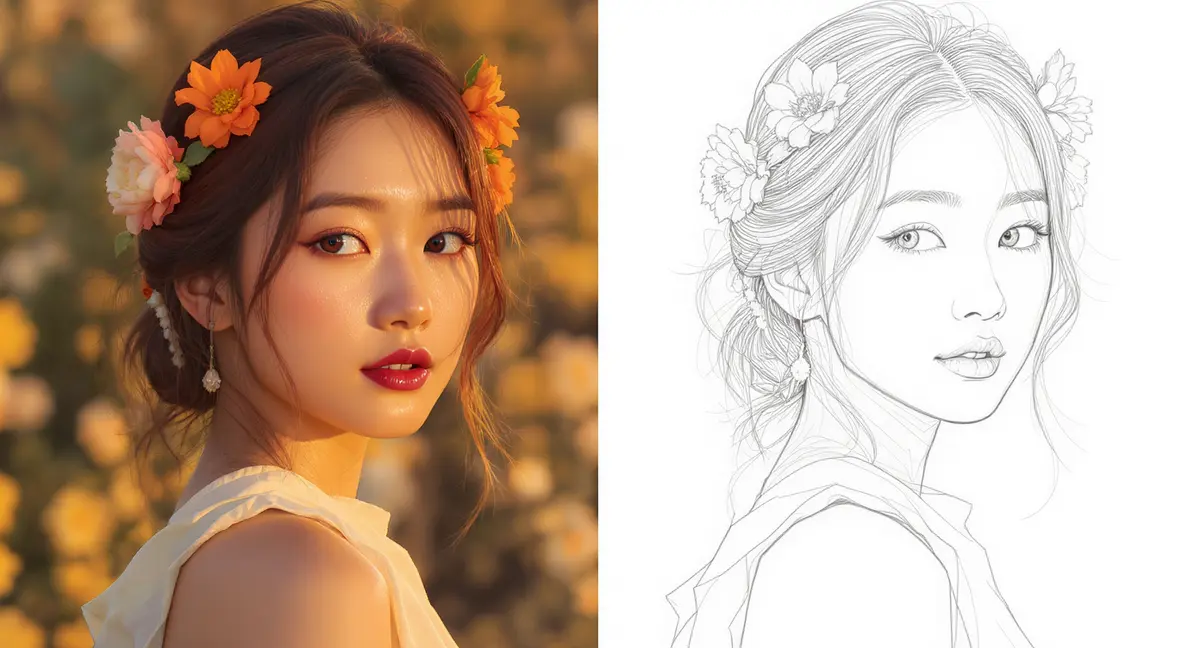
AI-powered tools can turn photo to line drawing in seconds, using advanced neural networks to detect edges and create clean, artistic sketches.
-
Choosing the right photo—high-contrast, well-lit, with a clear subject—is crucial for achieving the best AI sketch conversion results.
-
The technology behind this process has evolved rapidly, with models like Generative Adversarial Networks (GANs) producing highly realistic and varied artistic styles according to a 2025 report.
-
Beyond simple portraits, you can use photo to line drawing AI for tattoo designs, educational materials, personalized gifts, and professional illustrations.
-
Platforms like PearlFrame not only convert photos but allow for deep creative control, letting you generate or refine line art within a powerful AI image generation ecosystem.
Introduction
Have you ever looked at a favorite photograph and imagined it transformed into a clean, elegant line drawing? Until recently, turning a photo to line drawing required hours of meticulous manual tracing or advanced skills in expensive software like Adobe Illustrator. Today, the landscape has been completely reinvented. With the rise of sophisticated artificial intelligence, you can now convert photo to line art with a single click, achieving results that range from minimalist outlines to detailed, shaded pencil sketches.
This comprehensive guide for 2026 will walk you through everything you need to know about AI sketch conversion. We'll demystify the technology, provide a practical step-by-step process, explore creative applications, and help you choose the right approach for your project. Whether you're an artist seeking a digital base layer, a teacher creating custom worksheets, or someone looking to make a unique gift, learning how to turn photo to line drawing has never been more accessible or powerful.
What is AI Photo to Line Drawing?
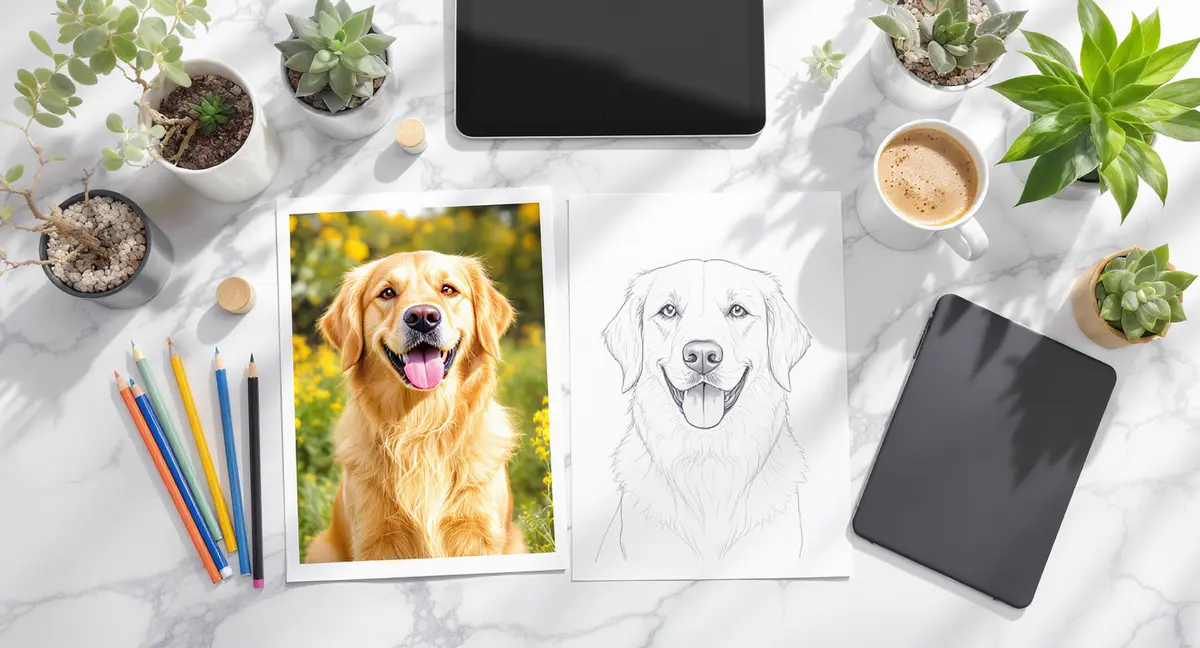
At its core, AI photo to line drawing is the process of using artificial intelligence to automatically analyze a photograph and extract its essential contours, edges, and shapes to create a line-based representation. This is far more complex than applying a simple filter. Modern AI doesn't just find edges; it understands the image's content, distinguishes between foreground and background, and can apply specific artistic styles—like the loose feel of a charcoal sketch or the precise lines of ink art.
The magic happens through machine learning models, primarily Convolutional Neural Networks (CNNs) and Generative Adversarial Networks (GANs). As research on the technology explains, a GAN framework pits two neural networks against each other: one generates the sketch, and the other critiques it against a database of real hand-drawn art. This competition drives the AI to produce increasingly realistic and aesthetically pleasing results. This is why contemporary tools can do more than just trace; they can simulate the pressure of a pencil, the texture of charcoal, or the flow of a brush pen, turning a simple photo to sketch into a work of art.
Why Convert Photos to Line Drawings? Key Benefits
Transforming a photo to drawing offers a multitude of creative and practical advantages that extend far beyond a simple visual effect.
Unlock New Creative Possibilities
A line drawing provides a radically different interpretation of a subject. It strips away color and texture, forcing the viewer to focus on form, composition, and emotion. This minimalist approach can make a familiar portrait feel fresh, dramatic, or timeless. It's the perfect starting point for further digital painting, adding watercolor washes, or creating graphic designs.
Create Personalized and Meaningful Art
Family portraits, pet photos, or pictures from a memorable trip gain a unique, handcrafted feel when converted to line art. These drawings make for exceptional personalized gifts—think custom wedding invitations, anniversary prints, or one-of-a-kind home decor. The process of convert photo to line art allows anyone to create sentimental artwork without needing years of drawing practice.
Streamline Professional and Educational Workflows
For professionals, AI sketch conversion is a massive time-saver. Graphic designers can quickly generate base artwork for logos, icons, or illustrations. Tattoo artists and clients can use it to visualize potential designs. In education, teachers can transform complex photos into clear diagrams or coloring pages, making subjects like biology, geography, or history more engaging for students.
Build a Unique Brand Aesthetic
Consistent line art can become a powerful part of a brand's visual identity. By using AI to maintain a specific sketch style across marketing materials, social media posts, and product visuals, businesses can cultivate a recognizable and artistic brand persona that stands out in a crowded digital space.
How to Turn Photo to Line Drawing: A 3-Step Process for 2026
The process is remarkably straightforward, especially with the current generation of AI tools. Here’s your actionable blueprint.
Step 1: Select and Prepare Your Source Photo
The quality of your input directly influences the output. You can't turn a blurry, dark photo into a line drawing and expect a crisp, detailed result.
- Choose High Contrast: Photos where the subject clearly stands out from the background yield the cleanest lines. Avoid washed-out images.
- Ensure Good Lighting: Even, natural light is best. Harsh shadows can be misinterpreted as solid shapes by the AI.
- Pick a Clear Subject: Portraits, defined objects, or landscapes with strong silhouettes work wonderfully. Very busy, cluttered scenes may produce confusing line art.
- Use High Resolution: A sharp, high-resolution photo (aim for at least 1000 pixels on the shortest side) gives the AI more data to work with, resulting in finer, more accurate lines.
Step 2: Choose Your AI Tool and Desired Style
This is where you leverage the power of modern AI. You have several excellent options, each with different strengths.
Option A: Dedicated Online Sketch Converters These are web-based tools built specifically for this task. You upload, choose a style (e.g., Pencil, Ink, Charcoal), and download. They are often very fast and user-friendly. Industry analysis notes that dedicated converters like these are praised for their high-quality, realistic outputs that accurately capture details.
Option B: Multipurpose AI Image Platforms For greater creative flexibility, consider a platform like PearlFrame. While capable of instant photo to line drawing AI conversion, its power lies in the integrated workflow. You can use a text prompt to generate a brand new image and then apply a line art style, or refine an existing conversion with additional AI edits. This is ideal if your line drawing is part of a larger project, such as creating a vision board or brand asset.
Option C: Advanced Desktop Software Applications like Adobe Photoshop or specialized AI art apps offer the most control, allowing you to fine-tune every filter and adjustment layer. CyberLink's PhotoDirector, for example, uses neural networks to apply intricate stroke patterns and offers deep customization for those who want pro-level results.
Step 3: Generate, Refine, and Export Your Artwork
- Upload: Drag and drop your prepared photo into your chosen tool.
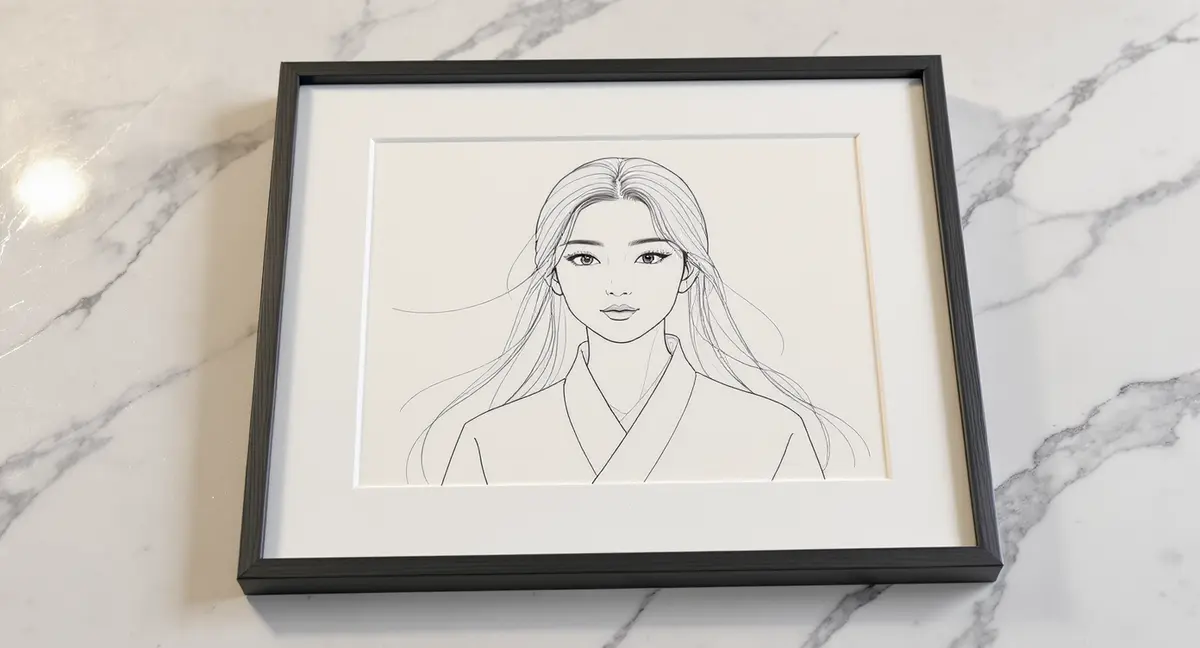
- Select Style: Choose from available artistic filters—Pencil Sketch for a classic look, Clean Line Art for coloring pages, Charcoal for drama, or Ink for graphic impact.
- Generate: Initiate the AI process. This typically takes just a few seconds.
- Refine (If Possible): Some advanced tools, including PearlFrame, allow for iterative refinement. You can adjust prompts, modify styles, or use the image-to-image feature to guide the AI toward your precise vision.
- Export: Download your final line drawing in a high-resolution format like PNG (for transparency) or JPEG. Most quality tools offer watermark-free downloads for personal and commercial use.
Ready to bring your own ideas to life? Try creating your own unique images with the AI tool below—it's easier than you think!
Advanced Tips: From Basic Conversion to Pro-Level Art
Choosing Between AI and Manual Methods
While AI is incredibly efficient, understanding the alternatives helps you choose the right tool for the job.
- AI Conversion (Best for Speed & Consistency): Perfect for most users. It's instantaneous, requires no skill, and produces reliably good results. It excels at portraits, objects, and landscapes.
- Manual Tracing in Vector Software (Best for Precision & Scalability): If you need a flawless, infinitely scalable vector graphic for a logo or large-format print, manual tracing in Illustrator with the Pen Tool, while time-consuming, offers pixel-perfect control.
- Traditional Drawing Techniques (Best for Authentic Artistry): Methods like using a lightbox or the grid method are valuable for artists building fundamental skills. The result carries the unique imperfections and character of a human hand, which AI is still learning to perfectly mimic.
Creative Applications Beyond the Obvious
Once you have your line art, the creative journey is just beginning.
- Create Custom Coloring Pages: This is a hugely popular use. Convert family photos or children's favorite characters into line art for a personalized coloring activity.
- Design Unique Apparel and Merchandise: Use your line drawing as the artwork for T-shirts, mugs, tote bags, or stickers through print-on-demand services.
- Develop Tattoo Concepts: Provide a clean, clear line drawing to your tattoo artist as the perfect starting point for a custom piece.
- Enhance Presentations and Educational Materials: Turn complex diagrams, historical figures, or scientific specimens into clear, engaging line illustrations for slideshows or handouts.
Optimizing for Specific End-Use
- For Print: Always export at the highest resolution available (300 DPI or higher) to ensure crisp lines.
- For Digital Use: PNG format with a transparent background offers the most flexibility for overlays on websites or social media.
- For Further Digital Painting: Save your line art on a separate layer above your color layers in software like Procreate or Photoshop to preserve complete editing freedom.
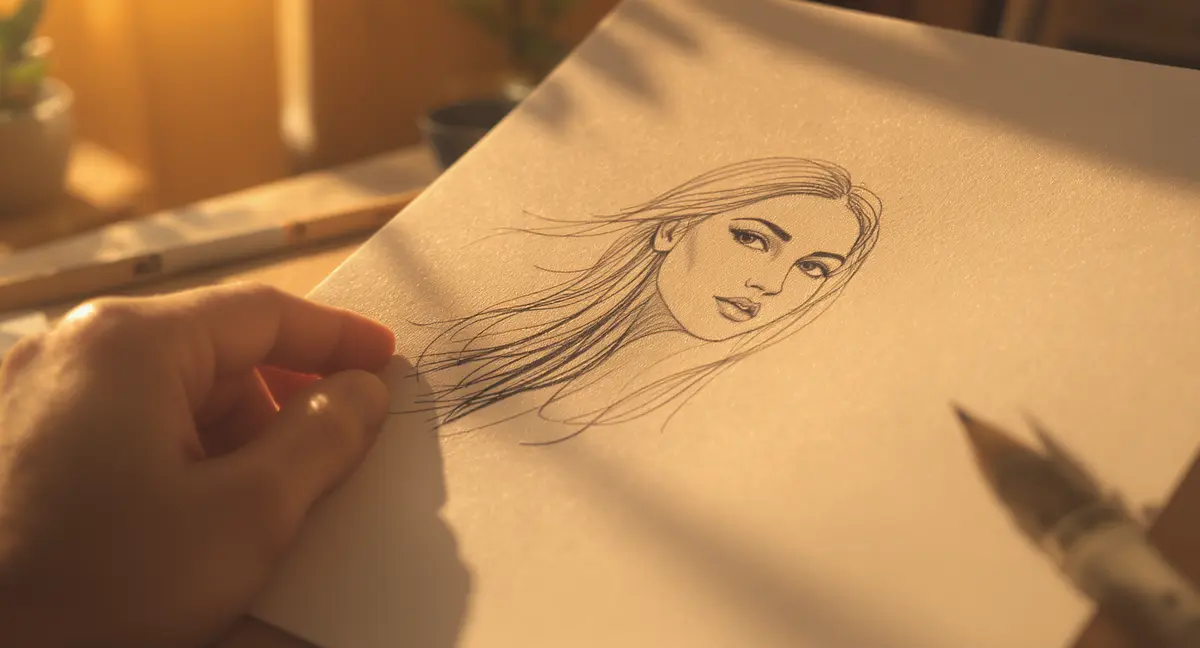
Conclusion
The ability to instantly turn photo to line drawing is a perfect example of how AI is democratizing creativity. What was once a specialized skill is now an accessible tool for artists, educators, marketers, and hobbyists alike. The technology, driven by sophisticated models like GANs, has matured to a point where it can produce not just accurate traces, but genuinely artistic interpretations in a multitude of styles.
The key is to start with a strong photograph, select a tool that matches your need for simplicity or creative control, and not be afraid to experiment. Whether you're using a dedicated converter or a versatile platform like PearlFrame—which leverages models like Flux Kontext for exceptional detail—you're empowered to transform memories into art, ideas into visuals, and photos into a whole new form of expression.
Ready to see your world in a new line? Upload your first photo and Try PearlFrame's image transformation capabilities to begin your sketch conversion journey today.
Frequently Asked Questions
What is the best free AI to turn a picture into a line drawing?
Several excellent free options exist in 2026. Look for tools that offer a generous free tier without watermarks. Some top contenders, as noted in industry roundups, include platforms that provide multiple artistic styles and require no sign-up. The "best" tool often depends on your specific need: pure speed, style variety, or integration with other creative features. For a balance of high-quality output and creative flexibility within a broader AI image generation suite, PearlFrame's free model is a powerful choice.
Can I use AI-generated line drawings for commercial purposes?
This is a critical question. Always check the terms of service of the specific AI tool you use. Many modern platforms, including PearlFrame, grant users full commercial rights to images they generate. However, the underlying photograph must also be yours or used with permission. If you're converting a stock photo or someone else's copyrighted image, you cannot use the resulting line drawing commercially without securing the appropriate licenses first.
What's the difference between a line drawing and a pencil sketch conversion?
While the terms are sometimes used interchangeably, there's a subtle distinction. A line drawing (or line art) typically focuses solely on clean, distinct outlines with little to no shading. It's like a coloring book page. A pencil sketch conversion aims to mimic the textured, tonal quality of a graphite pencil drawing, including shades, gradients, and sketchy strokes. When using an AI tool, you'll often see these as separate, selectable style filters.
Why does my AI-generated line drawing look messy or unclear?
This usually traces back to the input photo. Low-resolution, blurry, or low-contrast images give the AI insufficient clear data to work with, resulting in noisy or broken lines. Similarly, a photo with a very busy, patterned background can confuse the edge-detection algorithms. For the cleanest results, use a sharp, high-contrast photo with a distinct subject and a simple background.
How does AI photo-to-sketch conversion actually work?
The technology is primarily based on Generative Adversarial Networks (GANs). As explained in technical guides, the system uses two neural networks: a Generator that creates sketches from photos, and a Discriminator that judges them against real drawings. Through millions of training iterations, the Generator learns to produce increasingly realistic sketches by identifying key features like edges, light gradients, and textures in the source photo. Advanced models are even trained on specific artistic styles, like anime portraits.
Are my uploaded photos safe when using online converters?
Reputable AI tool providers take privacy seriously. They typically process your image temporarily to perform the conversion and do not permanently store it or use it for other purposes without your explicit consent. Before uploading, it's wise to review the platform's privacy policy. For maximum peace of mind, you can use tools that process images locally on your device or those from well-established companies with clear data handling policies.