Introduction
In the summer of 2024, a specific shade of lime green (#8ACE00) and a bold, lowercase font took over the internet. Charli XCX's album Brat sparked more than a music trend—it ignited a full-blown visual revolution. Suddenly, everyone from fans to political campaigns was using the iconic "brat" aesthetic to make a statement. This cultural moment was powered by one simple, accessible tool: the brat art generator. These online platforms democratized a once-niche design, allowing millions to create personalized album covers, memes, and social media posts that captured the album's rebellious, minimalist vibe. If you've seen those eye-catching, text-centric green images and wondered how to make your own, you're in the right place. This guide will walk you through everything you need to know about brat art, from its cultural roots to the step-by-step process of creating your own stunning images. Whether you're a fan, a meme creator, or a digital artist, mastering the brat art generator is your ticket to participating in one of the most defining visual trends of the decade.
What is Brat Art?
Brat art is a digital art style directly inspired by the cover of Charli XCX's 2024 album Brat. It is characterized by its stark minimalism, deliberate imperfection, and bold, instantly recognizable visual language.
At its core, a classic brat image features:
- A solid, vibrant background, most famously the "brat green" (Hex #8ACE00).
- A short phrase or word set entirely in lowercase.
- A bold, sans-serif font (typically a stretched version of Arial) that is often slightly blurred or pixelated.
- Centered text composition with no other graphical elements.
This was not an accident of poor design, but a calculated artistic choice. The album's designer, Brent David Freaney, and creative director Imogene Strauss intentionally chose a shade of green described by Charli herself as "quite disgusting" and "unfriendly and uncool" to provoke a reaction and challenge notions of desirability and polish in design. The "ugly" aesthetic was a rejection of the hyper-curated "clean girl" trend, instead embracing a raw, DIY, and authentically messy vibe.
The art form exploded beyond the album cover because its simplicity made it incredibly replicable and customizable. How to create a brat image became a communal activity, with fans using online generators to overlay personal jokes, song lyrics, or political statements onto the iconic template. This transformed the style from a branded album cover into a shared digital language for expression, appearing on everything from Instagram stories to Los Angeles billboards according to a cultural analysis from The International.
Why Brat Art Became a Cultural Phenomenon
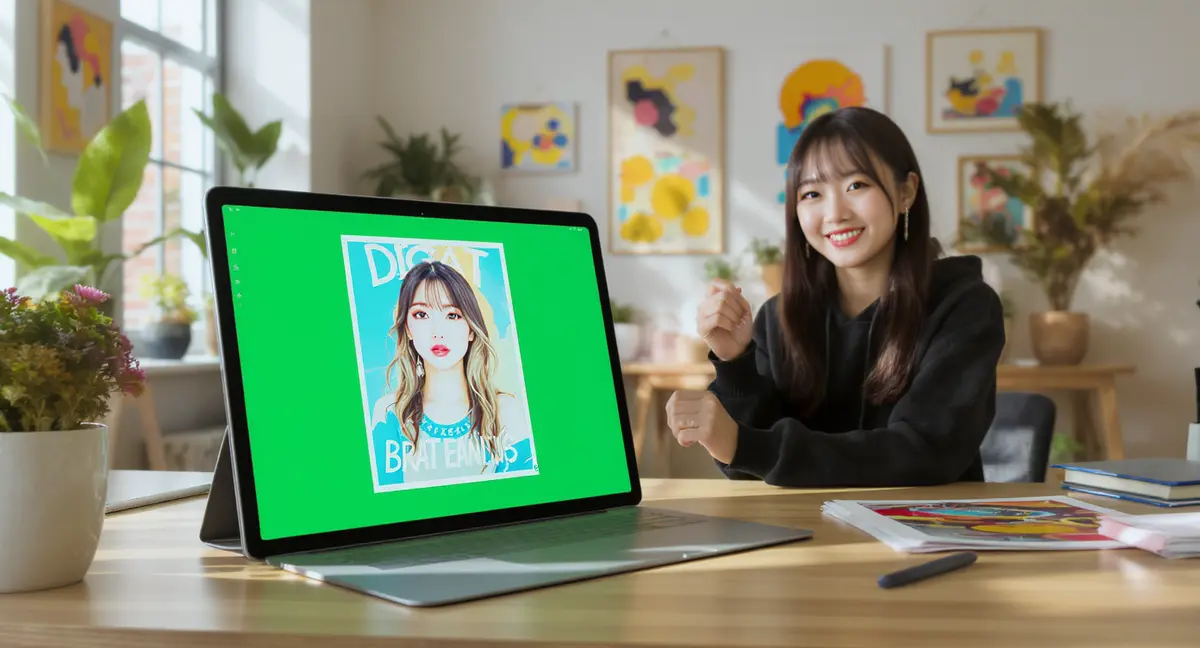
The virality of brat art wasn't just about a catchy color. It was a perfect storm of cultural resonance, strategic marketing, and accessible technology. Understanding this context is key to creating brat art that truly connects.
A Manifesto for Authenticity: In a digital landscape saturated with filters and facades, the brat aesthetic's deliberate "low-fi" and unpolished feel was a breath of fresh air. It championed imperfection and rebellious self-expression over curated perfection, deeply resonating with Gen Z and millennials as noted in an analysis by The Brooklyn College Vanguard. The style became a visual shorthand for an attitude—confident, independent, and hedonistic—so much so that Collins Dictionary named "brat" the 2024 Word of the Year.
Designed for Participation: Charli XCX's team didn't just create an aesthetic; they built a "fully realised universe" that was "specific enough to be recognised and flexible enough to be personalised" according to a 2025 Zeno London report. They officially released a brat art generator on the album's website, actively encouraging fans to remix and recreate the style. This open invitation turned passive consumers into active co-creators, fueling an endless stream of user-generated content that sustained the trend's momentum for over a year.
The Meme Machine: The aesthetic's simple, bold, and emotionally ambiguous template was perfectly suited for meme culture. The phrase "you're so brat" and its variants became ubiquitous captions. The generators allowed anyone to quickly create a shareable image that communicated insider knowledge and belonging to the cultural moment, making the trend self-perpetuating across social platforms.
Key Design Elements of Authentic Brat Art
To make brat art that feels authentic, you need to master its core visual components. Here’s what defines the style:
1. The Iconic Color Palette
The undisputed star is Brat Green (#8ACE00 or #8ACE00). This specific, oversaturated lime green is non-negotiable for the classic look. However, the aesthetic has evolved to include a wider palette, allowing for more personalization:
- Signature Green: The original, attention-grabbing shade.
- Hot Pink & Cyan: Popular alternatives that maintain the vibrant, digital feel.
- Matte Black & White: For a more stark, high-contrast variation.
- Gradients: Some advanced generators allow for gradient backgrounds, adding depth while keeping the vibe.
2. The Typography
The font choice is critical. It’s not just any bold font; it’s specifically a stretched, bold, sans-serif typeface, most accurately a vertically stretched Arial Narrow.
- Case: Always lowercase. This is a key stylistic rule.
- Weight: Use the boldest setting (often Arial Black or a font weight of 900).
- Effect: A slight Gaussian Blur or pixelation effect is often applied to mimic the original cover's low-resolution, anti-polish feel.
- Spacing: Letter spacing (tracking) is usually tight, with the text centered as a compact block.
3. The Composition
Less is unequivocally more.
- Negative Space: The background is a flat color field. The text is the sole focal point.
- Centering: Text is almost always centered horizontally and vertically.
- No Extras: No icons, no borders, no secondary graphics. The power comes from the stark contrast between the background and the bold text.
How to Create Brat Art: A Step-by-Step Guide
You have two main paths to make brat art online: using a dedicated generator for speed and authenticity, or creating it manually for maximum control. Here’s how to approach both.
Method 1: Using an Online Brat Art Generator (Fastest & Easiest)
This is the way most people create brat art, as it automates the technical details and delivers instant, authentic results.
-
Choose Your Tool
Select a free online brat art generator. Based on comparative analysis, look for features like live preview, color customization, and font accuracy similar to tools reviewed by SeaArt.ai. Many require no sign-up.
-
Enter Your Text
Type your phrase into the text box. Keep it concise—think album titles, song names, or punchy statements. The generator will automatically format it in lowercase.
-
Customize the Style
- Background Color: Select the classic green, or experiment with pink, black, or white.
- Text Color: Usually black or white for maximum contrast.
- Advanced Options: Some tools offer "mirror" effects, scribble textures, or blur controls to tweak the aesthetic.
-
Generate & Download
Click the generate button. Preview your image, make any final tweaks, and download it as a high-quality PNG file. Most generators optimize the output for social media sharing.
Method 2: Creating Brat Art Manually (For Full Control)
If you want to create a brat image from scratch using design software like Photoshop, Canva, or even free tools like GIMP, follow these steps.
-
Set Up Your Canvas
Create a new square canvas (e.g., 1080x1080 pixels for Instagram).
Fill the entire background with your chosen color, using hex code #8ACE00 for the true brat green.
-
Add and Style Your Text
Use the text tool to type your phrase. Immediately change it to lowercase.
Select a bold sans-serif font like Arial Black. Stretch the text box vertically to emulate the "stretched" look, or use a font width setting if available.
Center the text both horizontally and vertically on the canvas.
-
Apply the Signature Effects
This is where the magic happens.
- Blur Effect: Apply a very slight Gaussian Blur (0.5px - 2px) to the text layer. The goal is a subtle, digital fuzziness, not legibility loss.
- Alternative: For a pixelated feel, resize a high-resolution text layer down and then back up, or use a pixelate filter.
-
Export and Share
Export your image as a PNG to preserve quality. You now have a custom brat art piece ready to post.
Pro-Tip for Advanced Creation: While brat generators are perfect for the classic look, exploring AI image generation can help you create the backgrounds that fit the "brat" mood—grainy candid photos, blurred city lights, or textured surfaces. For instance, using a platform like PearlFrame, you could generate a gritty, low-fi background image with a prompt like "a grainy, flash-lit photo of a messy bedroom at night," then overlay your bold text in an editor to create a unique hybrid piece that still screams brat.
Ready to bring your ideas to life? Try creating your own unique AI image right here.
Beyond the Generator: Advanced Tips and Creative Variations
Once you've mastered the classic formula, you can start experimenting. The most compelling brat art often pushes the boundaries of the template while staying true to its spirit.
Play with Concept and Context: The most viral brat memes use the format to say something unexpected. Pair the bold, simplistic style with ironic, witty, or deeply personal text. The juxtaposition between the aggressive visual and the nuanced message is what makes it shareable.
Explore Evolving "Brat Styles": The trend has matured beyond the single green square. Look for generators or techniques that offer:
- Scribble Effects: Mimicking hand-drawn chaos over the text.
- Mirroring: Duplicating and reflecting text for a glitchy, digital art effect.
- Gradient & Metallic Backgrounds: As noted in a 2025 feature analysis of advanced generators, tools now offer neon glows and metallic finishes for a more personalized, professional album-cover feel.
Integrate with Photography: The true "Brat" album aesthetic is reminiscent of a grainy, flash-lit club photo. Try using your own photos as a background. Desaturate them, add grain and blur, and then overlay the classic bold white or green text. This blends the digital brat style with a tangible, nostalgic texture.
Think About Format: While square is standard, consider creating brat-style banners for Twitter headers or vertical images for Instagram Stories. The core elements remain the same—bold lowercase text on a solid color—just adapt the canvas.
Legal and Ethical Considerations for Brat Art
- Fan Art vs. Commercial Use: Creating and sharing brat art for fun on social media is generally considered fair use/fan art. However, using the distinctive style (especially the exact font and color combo) to sell merchandise or promote a business could raise trademark or copyright issues, as the aesthetic is closely tied to Charli XCX's commercial brand.
- No Official Affiliation: It's important to remember that online brat art generators are almost always fan-made tools. They are not officially affiliated with Charli XCX or her record label, unless explicitly stated.
- Inspired Creation is Key: Use the style as inspiration to develop your own visual voice. The core takeaway from the brat phenomenon is the power of bold, minimalist, and authentic self-expression—not just copying a hex code and font.
Conclusion
The journey from Charli XCX's controversial album cover to a global digital art trend highlights a fundamental shift in how visual culture is created and shared. The brat art generator was more than a tool; it was an invitation to participate in a cultural conversation. By understanding the history, mastering the key design elements, and learning how to create a brat image, you equip yourself with the knowledge to contribute to this evolving aesthetic.
Whether you use a quick online generator to make a meme for your group chat or apply the brat principles of bold minimalism to your own creative projects, the essence is the same: unapologetic self-expression. The trend proved that powerful design doesn't need to be complex—it needs to be authentic, resonant, and shareable.
Ready to explore more forms of AI-powered visual creation? If you're fascinated by how a simple style can capture a cultural moment, imagine what you could create with a more versatile tool. Try PearlFrame to generate stunning, unique images from your imagination, from photorealistic scenes to abstract art that could define the next big trend.
Frequently Asked Questions
What is a brat art generator?
A brat art generator is a free online tool that allows you to create custom images in the style of Charli XCX's Brat album cover. You simply type your text, and the tool automatically applies the signature lime green background, bold lowercase font, and low-fi effects to generate a shareable image in seconds.
How can I make brat art for free?
You can make brat art online for free using any number of dedicated brat generators, which require no sign-up or payment. Simply search for "brat generator," choose one, input your text, customize the color if desired, and download your image. You can also create it manually using free design software like Canva or GIMP by following the design principles outlined in this guide.
Is the brat font a real font?
The "brat font" is not a custom-made typeface. It is a vertically stretched version of Arial Narrow, a common system font, rendered with a bold weight and often a slight blur or pixelation effect to create the signature "low-resolution" look.
Can I use brat art I create for my social media or music?
Yes, you can absolutely use brat art you create for personal social media posts, meme sharing, or even as placeholder inspiration for personal music projects. It becomes a legal gray area if you attempt to commercially sell products or services using the exact, recognizable aesthetic, as it may be seen as leveraging the established branding of the Brat album for commercial gain.
What makes a brat image go viral?
A viral brat image typically combines the instantly recognizable aesthetic with clever, relatable, or timely text. It taps into a shared cultural feeling, an inside joke, or a current event. The simplicity of the format means the message is delivered with immediate impact, making it perfect for quick consumption and sharing on platforms like Twitter, Instagram, and TikTok.
How do I get the text blur effect just right?
The key is subtlety. Whether using a generator's slider or a manual Gaussian Blur filter, aim for a setting that makes the text edges slightly fuzzy and digital-looking without harming readability. It should evoke the feeling of a low-resolution JPEG or a screen capture, not a mistake.