Key Takeaways
- AI image seeds are numerical values that control the starting noise pattern in diffusion models, acting as the "DNA" of your generated image according to SrefHunt.
- Seeds guarantee reproducibility—using the same seed, prompt, and settings yields identical or near-identical outputs, essential for professional workflows.
- They enable controlled iteration, allowing you to tweak prompts (e.g., changing "lion" to "lioness") while maintaining composition, lighting, and style.
- Platforms handle seeds differently: Midjourney uses
--seedparameters, while Stable Diffusion offers more granular control through open-source interfaces. - Best practices include documenting seeds, using sequential seeds for A/B testing, and leveraging seeds for brand consistency in marketing campaigns.
Introduction
Have you ever generated an AI image that was almost perfect—only to lose it forever because you couldn't recreate the exact same result? Or struggled to maintain visual consistency across a series of artworks for a project? This is where the AI image seed becomes your secret weapon. In the rapidly evolving world of AI art, achieving control and consistency is no longer a luxury; it's a necessity for professional creators, marketers, and artists. An AI image seed is a fundamental technical parameter that transforms random generation into a repeatable, precise process. According to a 2026 technical guide, mastering seeds is what separates hobbyist experimentation from professional AI image generation workflows. This guide will demystify AI image seeds, explain how they work across platforms like Midjourney and Stable Diffusion, and show you how to harness them for flawless consistency in your 2026 projects.
What is an AI Image Seed?
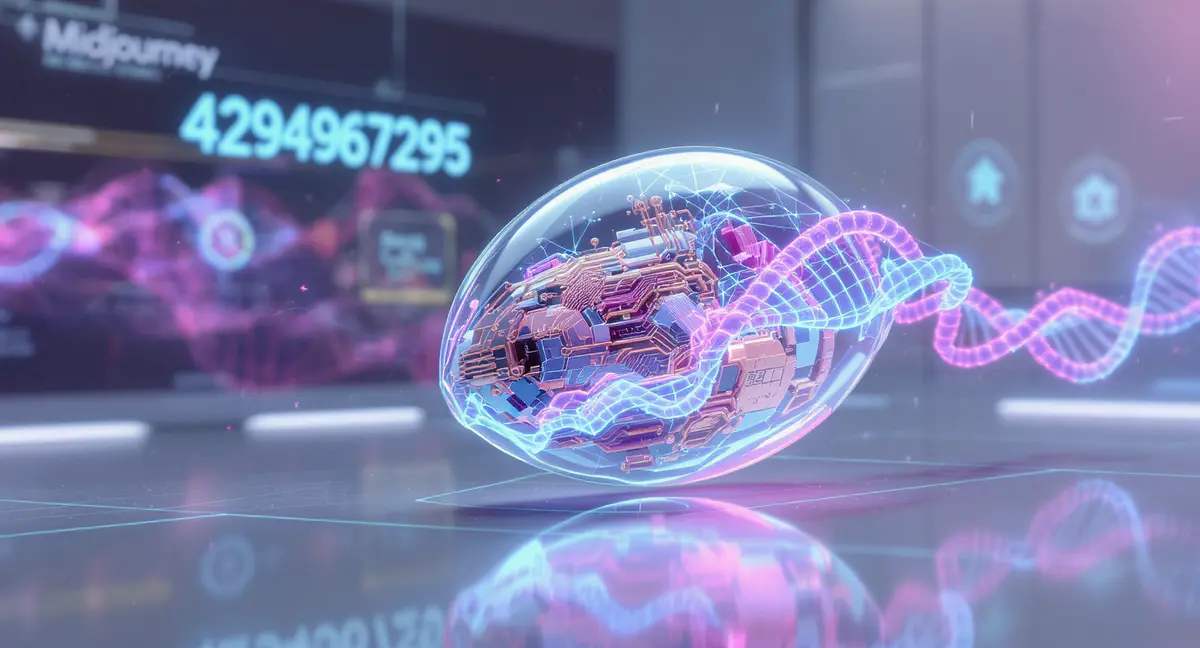
An AI image seed is a numerical value—typically a whole number between 0 and 4,294,967,295—that serves as the starting point for the AI's image generation process. Technically, it's "just a number... that serves as the DNA of your image" as explained by SrefHunt. Think of it like planting a literal seed: the same seed, under the same conditions, will grow into the same plant. In AI terms, the seed determines the initial "visual noise" (similar to TV static) from which the diffusion model begins to sculpt your final image.
Most modern AI image generators, including Midjourney, Stable Diffusion, and platforms like PearlFrame, use a diffusion process. As described by Zapier, this process starts with random noise and gradually refines it into a coherent picture that matches your text prompt. The seed parameter locks in that starting noise pattern. If you don't specify a seed, the AI picks a random one, which is why you get a different result every time you click "generate." But when you use and save a specific seed, you gain the power to reproduce that exact image indefinitely. This concept is also referred to as ai photo seed when applied to photorealistic generation tasks.
Key Benefits of Using AI Image Seeds
1. Guaranteed Reproducibility and Version Control
The primary benefit is simple: if you generate an image you love, you can save its seed number and recreate it perfectly anytime. This is crucial for archiving work, sharing precise results with clients or collaborators, and maintaining version control. Technical documentation from getimg.ai confirms that "generations with the same parameters, prompt, and seed will produce precisely the same images." No more losing that perfect render in a sea of random generations.
2. Targeted Iteration and Creative Exploration
Seeds allow for surgical precision in your creative process. Once you lock a seed that produces a compelling composition, you can modify your prompt to explore variations while keeping the underlying structure intact. For example, you could change "a serene mountain lake at dawn" to "a serene mountain lake at dusk" and maintain the same lake shape, mountain contours, and reflective quality—only the lighting and time of day shift. This makes ai image seed generation a powerful tool for brainstorming and refining concepts efficiently.
3. Visual Consistency for Brands and Series
For marketers, designers, and artists creating a series, seeds are indispensable. They ensure that all images in a campaign, product line, or artistic collection share a cohesive visual language. A practical guide from Automators Lab highlights that "seeds are especially valuable in marketing, where consistency in visual branding matters." Whether you're generating a set of product shots, social media banners, or character designs for a story, seeds help maintain a unified look and feel.
4. Enhanced Collaboration and Efficiency
When working in a team, sharing a seed number alongside a prompt ensures everyone is iterating from the same visual foundation. This slashes feedback loops and miscommunication. Instead of describing vague changes, a team member can say, "Use seed 4582, but make the background warmer." This efficiency saves both time and computational credits, moving projects forward faster.
How to Use AI Image Seeds for Consistent Results
Step 1: Generate Your Initial Image and Capture the Seed
Start by creating an image with your desired prompt in your chosen AI tool. Once generated, locate and save the seed value. The method varies by platform:
- In Midjourney: React to the image with an envelope emoji to receive a message containing the Job ID and seed number.
- In Stable Diffusion Web UI: The seed is usually displayed in the generation information panel.
- In PearlFrame: After generating an image, the seed or a similar identifier for reproducibility is available in the image details or task history. Tools like PearlFrame that leverage models like Flux Kontext are designed with professional workflows in mind, making it easy to track and reuse successful parameters.
Step 2: Test Reproducibility
Before relying on a seed, verify it works. Re-enter the exact same prompt and manually set the seed to the saved number. You should get an image that is virtually identical to your original. Minor variations can occur due to different hardware or software versions, but the core composition will match.
Step 3: Create Controlled Variations
This is where the magic happens. Keep the seed constant and begin adjusting your prompt. Make small, incremental changes. For instance, if your original prompt was "portrait of a cyberpunk elf with neon hair," try "portrait of a cyberpunk elf with neon hair, smiling" or "portrait of a cyberpunk elf with neon hair, in a rainy alley." The character's core features should remain consistent while the new elements are introduced. This process is the heart of effective ai image seed generation.
Step 4: Systematically Document Your Work
Maintain a simple log or spreadsheet tracking successful prompts, their corresponding seeds, model versions, and other key parameters (like guidance scale or steps). This documentation transforms your creative process from guesswork into a repeatable methodology. As noted in an analysis of professional workflows, for "repeatable pipelines," the solution is to "version your graphs, tag node versions, lock seeds" according to Sider.ai.
Advanced Tips and Best Practices for AI Image Seed Generation
Finding the Best Seeds for AI Art
There's no universal "best" seed, as the outcome is intertwined with your unique prompt and model. However, you can develop a library of effective seeds for your specific style. Here’s how:
- Experiment with Sequential Seeds: Generate a batch of images using the same prompt but with seeds like 1000, 1001, 1002, etc. Compare the results to see which seed yields compositions you prefer.
- Learn from the Community: Many AI artist communities share "magic seeds" that produce interesting textures or styles with certain model checkpoints. Use these as starting points for your own experiments.
- Leverage Platform Features: Some platforms, like PearlFrame, which uses advanced models like Qwen and Flux Kontext, may offer features to help stabilize outputs or suggest parameters that work well with specific seeds.
Understanding Platform-Specific Behaviors
Seeds don't work identically across all AI systems. It's critical to understand the nuances:
- Midjourney: Seed behavior can differ between model versions (e.g., V6 vs. V7). Lilys.ai notes that "the behavior of the seed parameter differs between Version 3 and Version 4." Always note the model version alongside your seed.
- Stable Diffusion: Seeds are generally more deterministic, but results can vary if you change the model checkpoint, sampler, or other settings. The open-source nature allows for extreme precision, as highlighted in a platform comparison by DataStudios, which states Stable Diffusion supports "parameter tuning: Users can adjust sampling steps, guidance scales, seeds, and model checkpoints, creating precise outputs."
Combining Seeds with Other Techniques
For maximum control, pair seeds with other AI art techniques:
- Image-to-Image with a Seed: Use an initial image as a reference along with a fixed seed to guide variations. This is excellent for refining a particular concept.
- Negative Prompts: Use a fixed seed while iterating on negative prompts to systematically remove unwanted elements (e.g., "blurry, deformed hands").
- Style Transfer: Apply a consistent seed while using style modifiers or reference images to maintain subject consistency across different artistic treatments.
Pitfalls to Avoid
- Assuming Cross-Platform Compatibility: A seed from Midjourney will not produce the same image in Stable Diffusion or another tool. Seeds are specific to the model and its exact configuration.
- Ignoring Other Parameters: The seed is just one part of the equation. Changing the sampling steps, guidance scale, or model version while keeping the seed constant will still alter your output.
- Over-Reliance on a Single Seed: While seeds are powerful, don't be afraid to explore new random seeds. Sometimes, randomness itself is the source of breakthrough creativity.
Now that you've seen what's possible, why not bring your own ideas to life? Try creating your own unique AI image right here.
Conclusion
Mastering the AI image seed is a non-negotiable skill for anyone serious about creating professional, consistent AI art in 2026. It transforms the AI from an unpredictable oracle into a reliable tool that respects your creative intent. By understanding how seeds work as the "DNA" of an image, you unlock reproducibility, enable precise iteration, and ensure visual coherence across all your projects—whether you're building a brand identity, illustrating a story, or exploring personal artistic visions. The principles of seed control apply whether you're using community favorites like Midjourney, the open-source power of Stable Diffusion, or streamlined platforms like PearlFrame, which integrate these advanced capabilities into an accessible workflow.
Ready to move beyond random generation and start creating with purpose? The best seeds for AI art are the ones you learn to control. Put this knowledge into practice, document your experiments, and watch as your AI art achieves a new level of polish and consistency. Try PearlFrame today to experience how a modern AI image generator can help you apply these seed techniques to bring your most consistent visual ideas to life.
Frequently Asked Questions
What exactly is an AI image seed?
An AI image seed is a number that sets the initial random noise pattern from which an AI diffusion model generates an image. It's the starting point that ensures if you use the same seed, prompt, and settings, you get the same output. Think of it as a unique identifier for a specific "path" the AI takes to create your picture.
Can I use the same seed across different AI tools (like Midjourney and Stable Diffusion)?
No, seeds are not transferable between different AI models or platforms. A seed value is interpreted within the specific mathematical framework of a given model. Using seed "12345" in Midjourney and Stable Diffusion will produce completely different, unrelated images.
How do I find the seed for an image I've already generated?
The method depends on the platform:
- Midjourney: Use the envelope emoji reaction on the image in Discord.
- Stable Diffusion (Web UI): Check the image information or PNG metadata.
- PearlFrame: The seed or generation ID is available in your image history or task details within the dashboard. Always refer to your specific tool's documentation for the exact steps.
Does using a seed guarantee 100% identical results every time?
In theory, yes. In practice, using the exact same seed, prompt, model, and all other parameters should yield a nearly pixel-perfect match. However, tiny variations can sometimes occur due to underlying hardware differences or non-deterministic operations in some software implementations. For all practical purposes, consider it identical.
Why would I want to change the seed instead of keeping it the same?
Changing the seed is how you introduce controlled randomness. If you're unhappy with the composition or layout of an image but like your prompt, generating with a new seed is the best way to "roll the dice" again for a different arrangement while keeping the same theme and style.
Are seeds important for video generation AI as well?
Yes, the concept extends to AI video generation. A seed can determine the starting noise for the first frame, influencing the entire sequence. This helps in creating consistent visual styles across video clips or generating different variations of the same scene concept.
How can seeds help with building a brand identity using AI?
Seeds are foundational for creating a cohesive visual library. By using a consistent set of seeds and style prompts, you can generate marketing assets, product visuals, and social media content that all share the same color grading, composition style, and aesthetic feel. For a deeper dive on this topic, see our guide on What is Brand Identity and How to Build a Strong One with AI.
Is there a way to generate multiple images with different seeds automatically?
Many advanced interfaces, like ComfyUI for Stable Diffusion, allow for batch generation where you can specify a list of seeds or a range to automate this process. Some cloud platforms also offer "generate multiple" options that create several variants with randomized seeds from a single prompt submission.